Skip to the posts
Buffalo's neighborhood journals since 2003 🍀 Patrick Spicy Devil Logan🌭 Sahlen🥨 Weber Spank🥟 Pierogi🐸 Scaj🍺 Labatt Utica Pink Cherio❄️ Snow Murder

tinypliny’s journal

🏷️ linux

99 posts

Natty Party

·

It's Natty release day.

That's Ubuntu 11.04 with Unity - a new desktop environment with a shady and rocky past fraught with disagreement and warfare between Canonical (the Keepers of Ubuntu) and GNOME - the erstwhile desktop of older *buntu flavours.

Regardless of all this strife-torn history, millions around the planet will be celebrating with Natty parties. Including dear neighbouring cities, Ithaca and Rochester.

However, there is no such Natty install-party in Buffalo. In fact, the Ubuntu mirror at UB has not even updated to 11.04 final-release YET. Charles Profitt , lead contact of the New York State Ubuntu Local Community (LoCo) Team asked me if I would be interested in organizing one.

If only I had the time.

If only...

I don't.

That's not very Natty at all.

Partition Question

·

Couple questions about partitions in linux.

Question 1:
I have three partitions on my laptop:
/
swap
/home

Let's suppose that I am distro-hopping and want to install some crazy distro on my "experimentation" laptop. Let's further suppose that this new distro is not really similar (in terms of kernel as well as windows manager) to the older distro which was on the laptop.

If I don't format my /home partition, will the older settings (brightness, power management, folder options, screensaver, desktop background etc) be preserved on all old-distro-> new-distro transitions? Why or why not?

Question 2:
Why is it that the installation programs for all linuxes (linuxi?) don't allow me to tick the format checkbox for the swap partition while installing? All the other partitions have "tick-able" format checkboxes.

Thoughts?

Glib-Warning

·

GLib-WARNING **: getpwuid_r(): failed due to unknown user id (0)


I get to bat my eyelashes at this gibberish every time my laptop boots. And every glib soul on the World-Wide-Web seems to be just as mystified as me about what it can possibly mean.

Oh, the joys of linux.

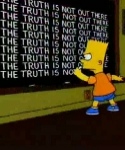
This tarball about to BLOW

·

image

Seriously, this is what I feel like when do anything on Linux. Not only do I have no idea about how to deal with most problems, I also feel as if I am always trapped in a hung window somewhere in OS hell. There is always something waiting just around the twisted little linuxy jagged corner to vex me.

Today I almost learnt how to compile a tarball. The keyword here is *almost*. And yes. A tarball. To add injury to insult, I was constantly reminded with obsessive checks by the terminal on Linux that I needed a sane environment to build these "tarballs".
Only, a zillion errors and a gazillion "lib-that-or-lib-this" missing messages later, I gave up.

And I am not going to have the time to go to yoga today. Enough grounds to conclude that I obviously don't have a sane environment anymore. I might as well have K-dollar-sign-HA! tattooed in comic sans on my forehead.

Keyboard shortcut for lxterminal

·

Just wanted to let everyone know that the keyboard shortcut for bringing up lxterminal or the command-line window under lubuntu is: F10 or Ctrl+Alt+T

Couldn't this document describing the lxterminal have included this tiny bit of information about keyboard shortcuts: No, because you see, linux geeks need to do it the hard way and hope to build everyone else's character in the process. But I am all overbuilt on character so I really can't agree with their dodgy logic at all. As a result, I am going to be posting every single thing that I learn about linux here for everyone to see - IN PLAIN VIEW and eminently google-able.

Now, the next step is to change this shortcut and assign shortcuts to everything else. I need to figure out what this discussion is saying: Oh, and keyboard shortcuts are called "Keybindings" to make it tougher for you to google them.

Wacom linux frustrations...

·

I don't use a mouse at home because I have borderline RSI. Instead, I have a Wacom Bamboo tablet and stylus that I use for all kinds of input from simple pointing-and-clicking to drawing and painting on pressure-sensitive applications such as mypaint. A major frustration has been to make it work with any and all flavours of linux. Fedora has treated me no better than the *buntus.

I have a simple question. How can I assign functions to the two buttons on the stylus? I currently use one button as a right-click and the other one as a "grab and scroll" middle-click button. Is it SO tough to figure this out in linux? Apparently, it is. This supposedly authoritative "manual" for the wacom linux driver does not help me at all because it's so dense and jargon ridden. And no one in ubuntu forums answers these sort of questions:

I am so frustrated. The linux community is nothing better than a mass of self-centred mirror-image RTFM-chanting zealots who have zero empathy or patience for anyone other than themselves and their ad nauseum omg-M$-is-so-evil-and-you-are-so-dumb-for-using-it agendas.

I am going to try this piece of code from this forum this evening. I wish I understood what it's doing!

  1. !/bin/bash
  2. If you set XSW in your environment it will override the
  3. script's default of /usr/bin/xsetwacom.
  4. If you set PAD and/or STYLUS then those override the script's
  5. defaults of 'Wacom Bamboo pad' and 'Wacom Bamboo' which are
  6. known correct for Ubuntu 9.04
  1. [ Do not change this bit: ]

test "x$XSW" = "x" && XSW=/usr/bin/xsetwacom
test -x $XSW || { echo "Cannot find xsetwacom in /usr/bin"; exit 1; }

test "x$PAD" = "x" && PAD="Wacom BambooFun 4x5 pad"
test "x$STYLUS" = "x" && STYLUS="Wacom BambooFun 4x5"

pad () {
$XSW set "$PAD" "$@"
}

stylus () {
$XSW set "$STYLUS" "$@"
}
  1. [ Configurability from here down.]
  1. Define the Bamboo buttons
pad AbsWDn "CORE KEY - "        # circle zoom in
pad AbsWUp "CORE KEY + "        # circle zoom out
pad Stripldn "CORE KEY - "        # strip in
pad Striplup "CORE KEY + "        # strip zoom out
pad Button1 "CORE KEY CTRL /z"        # key 1 () fill frame
pad Button4 "CORE KEY SHIFT"        # key 4 (FN2) SHIFT

stylus TPCButton "off"            # side switch mode
stylus mode "Absolute"            # positioning mode
stylus Button1 "Button 1"        # pentip click left
stylus Button2 "CORE KEY /x"        # Lower side switch click right
stylus Button3 "Button 3"        # Upper side switch click middle


Linux: Clear as Mud.

·

So I tried to configure the xorg (wth?) wacom drivers using a text editor called gedit (wth?). When I opened it this bit of gibberish was waiting for me:

WALTOP needs a patched kernel driver, that isn't in mainline lk yet, so for now just let it fall through and be picked up by evdev instead.


Seriously? Am I supposed to nod in agreement or throw rocks at the screen?

This is why regular folks might not really want to go anywhere near any kind of linux. I have seen linux distributions with holier-that-thou taglines such as "software for humans". Does their definition of "humans" comes from a dictionary buried under Martian craters?!

Distro Decision

·

I tried out a zillion live-CDs over the past week and the most appealing and uncluttered distro has to be lubuntu. Not only does it not assume that I am an idiot and need a million applications cluttering my operating system, its default browser is Chromium and not Firefox. These two things alone make it super-attractive.

EDIT: I hate lubuntu. It's clunky and quite awful when it comes to remembering any settings. I have switched to WattOS for now.

EDIT2: WattOS was okay but it had its own set of troubles... foremost being lack of activity in its support forums. Just one person supports that distro and that is a surefire recipe for very-long-wait-times and even more frustration. So I switched to Peppermint Ice (runs on LXDE/Openbox desktop environment on top of a Maverick 10.10 kernel). It's very fast compared to ubuntu and has no application bloat because everything is cloud-based. It's almost like a pre-release functioning Chrome OS.

EDIT3: Peppermint Ice was an unstable error-popping joke. I think the whole idea was to have the user install and use the OS for a day or so before unleashing an update from hell on their computers and have it boot to some inane terminal instead of the GUI so that windoze-converts will have an seismic what-do-I-do-NOW panic-attack. I had to google the "startx" command. Peppermint, you are ditched. I am now on Linux Mint on one laptop, Fedora on another (both gnome) and a stripped-down heavily-modified and patched WinXP (I know. I know.) on my oldest laptop.

BodhiLinux came close in terms of minimalism but I just could not figure out how to change simple display options under the Enlightenment GUI. Dual monitor setup was a nightmare. Changing the brightness of the screen required me to learn command line linux. Changing the display resolution was a complicated 1 hour google-hunt without a definite answer. The disappointment list just goes on lengthening.

Deskop Ubuntu has some unwieldy application-bloat. I liked the spiffy-looking Ubuntu-Netbook version but it has bloatware as well. Xubuntu was very display-tweak unfriendly. I am not competent enough yet to build linux from scratch. Someday, I will. Till then, I am settling for a semi-permanent lubuntu install on my Toshiba U305 S7467. I will miss the extremely light version of XP I used to run on the U305. It was just 0.7GB, took 12s to boot, ran just 12 background processes and took up less than 2% of system resources at any given time.

I don't know if and when I will reach that level of hacking comfort with lubuntu. It took me quite sometime to reach that state in XP. I never transitioned to Vista and it's newer evil cousins simply because their bloat was unbearable. I don't think any OS should occupy more than 2GB at the most and take up less than 3% of system resources when it's running.

Or maybe Chrome OS will come out before I get too comfortable with linux. Who knows...

Linux Command Line

·

Don't you want to bash your head in when Linux GUI is dense and so extremely useless? No? Well, I do. So I am thrilled to have found a site that throws a command line bash 24/7:

ss64.com/bash

And I have lot of admiration for William E. Shotts because he wrote this

image

and put the PDF online for free: