Skip to the posts
Buffalo's neighborhood journals since 2003 🍀 Patrick Spicy Devil Logan🌭 Sahlen🥨 Weber Spank🥟 Pierogi🐸 Scaj🍺 Labatt Utica Pink Cherio❄️ Snow Murder

tinypliny’s journal

🏷️ i-tech

71 posts

Random Linux Thought

·

I kind of like being on Linux, now that my wireless is functioning. It's a lot of heartache but somehow it gives you more power over what's going on in the recesses of your computer. It's as if you have found that you can split open a blackbox and are able to look at the virtual software connections and wires that make your computer tick.

Linux = 85% pain + 5% revelations + 10% knowledge everyday.

I just have to decide if the 15% of useful stuff is worth the 85% pain...

Boat Browser!

·

I just installed a browser on my Android phone that makes me shout with glee about how fast my phone has suddenly become...

Rejoice!
image
Rejoice!
image
Rejoice!
image
The Boat Browser is here!!
image

I am never going back to any other browser on my phone ever! You need to check the boat browser out if you haven't already!!! ===> I have MISSED all this amazing snappiness! I don't know how the boat browser does it, but it does. It makes everything go REALLY fast and its interface is SO intuitive and non-clumsy, it makes every other android browser out there look paleolithic and clumsy and gargantuan (in a bad way).

Scratchpad!

·

I lose my notes all the time and can never keep them in one place. I then conduct detailed unwieldy searches to locate them because I only remember having written a note somewhere with some specific content but never recall what I named those notes! I now have something that fixed this problem quite elegantly - Scratchpad for Chrome!!!

With Scratchpad, I can not only have all my notes sync silently with google docs but also search their full text from anywhere and everywhere. I think eventually, I will end up replacing the bland notepad entirely with Scratchpad.

image

I only wish I could embed Scratchpad and Google Tasks side by side on chrome's new tab page now.

More about this awesome App:

Most useful Chrome extensions

·

A few weeks into any of my fresh Chrome installs, my extensions and bookmarks start to get out of hand. I just try out most of them and forget to remove them. But a few of them are constants. Some of them can even be called useful. Yeah, apparently, I don't have anything interesting to blog about so I will blog about dull things now.

The 1st extension I install (and this reflects the sad state of my internet usage) is the creatively named OWA Chrome Companion which obsessively checks my work email every few minutes and pops up a wild array of small notifications everywhere if a new message (however spammy and random) comes in - at which point I have a mild anxiety attack and scurry about trying to unsuccessfully ignore the email. It kind of defeats the whole point of the extension.

Oh well... moving on, I hate filling forms and entering passwords repetitively so these two extensions just fill them in for me:
  • Autocomplete = On
  • Lazarus Form Recovery:
I guess if someone developed a way to hack these extensions, I could be in serious trouble...

And I hate new windows popping up all the time so this extension makes them behave and forces every single tab and page and popup into ONE window. By the end of the day, I have a million tabs, but still it a fair price to pay for ONE WINDOW!


It's kind of a vicious cycle, so I need this "Tab Glutton" to keep a check on my tabs. (Actually, I end up not managing them at all and sometimes accidentally close everything and re-opening everything again from scratch but let's not talk about it.)


Then of course, there is link grabber which helps me visualize all content on a page and the content that I am usually interested in (pdfs mainly) at a glance and grab them without having to wade through all the text.

Lastly, Readability Redux makes the web a better place:
I can get rid of most evil and awful ads and poor web designs and can read the content in peace. I just wish there were a spring green or vibrant orange background to the text...

What do IE tab extensions for Chrome do?

·

This is a question for @paul. I wanted to view the full version of the RPCI Microsoft OWA email client in Chrome but it simply wouldn't allow me. I found these IE extensions for chrome:

1. IE Tab Classic:

2. Chrome IE Tab Multi:

The questions is how do these extensions manage to load the fully featured OWA while native Chrome cannot? Is using these extensions as risky as using IE? How are these extensions working?

Guitar Google Doodle

·

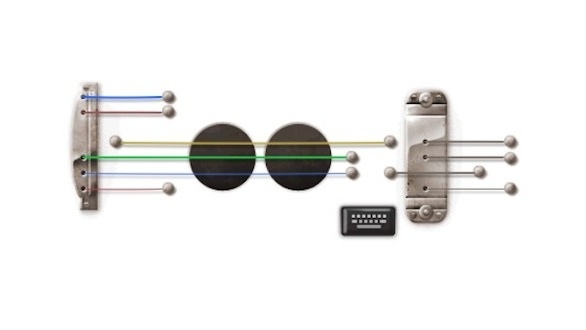
Google doodles keep outdoing themselves all the time and today is the peak of overachieving. They have a FULLY functional guitar with a recording feature as their logo honouring Les Paul, a guitarist and an innovator in music.

image
Go ahead! Play it! And I can't believe someone (Zack Bernardin) created this masterpiece with a mouse... or a keyboard sequence!

I couldn't create a coherent tune even if I tried!


From:

Gooooooooooogle Charms

·

According to Google, its the 160th Anniversary of the First World's Fair.

I love this really cool illustration on the Google homepage with the gold ornamented magnifying glass and several random fun animations as the magnifying glass hovers over details.

image
image
image
image
image


I had to look up what it was all about. According to wikipedia:

The first Expo was held in The Crystal Palace in Hyde Park, London, United Kingdom in 1851 under the title "Great Exhibition of the Works of Industry of All Nations".


And then I realized that the Pan American Exposition in Buffalo in 1901 was a World's Fair! Those were the glory days for our city. Look at all the pomp and circumstance...