
 mobile
Category: linux
04/01/11 07:14 - ID#53958
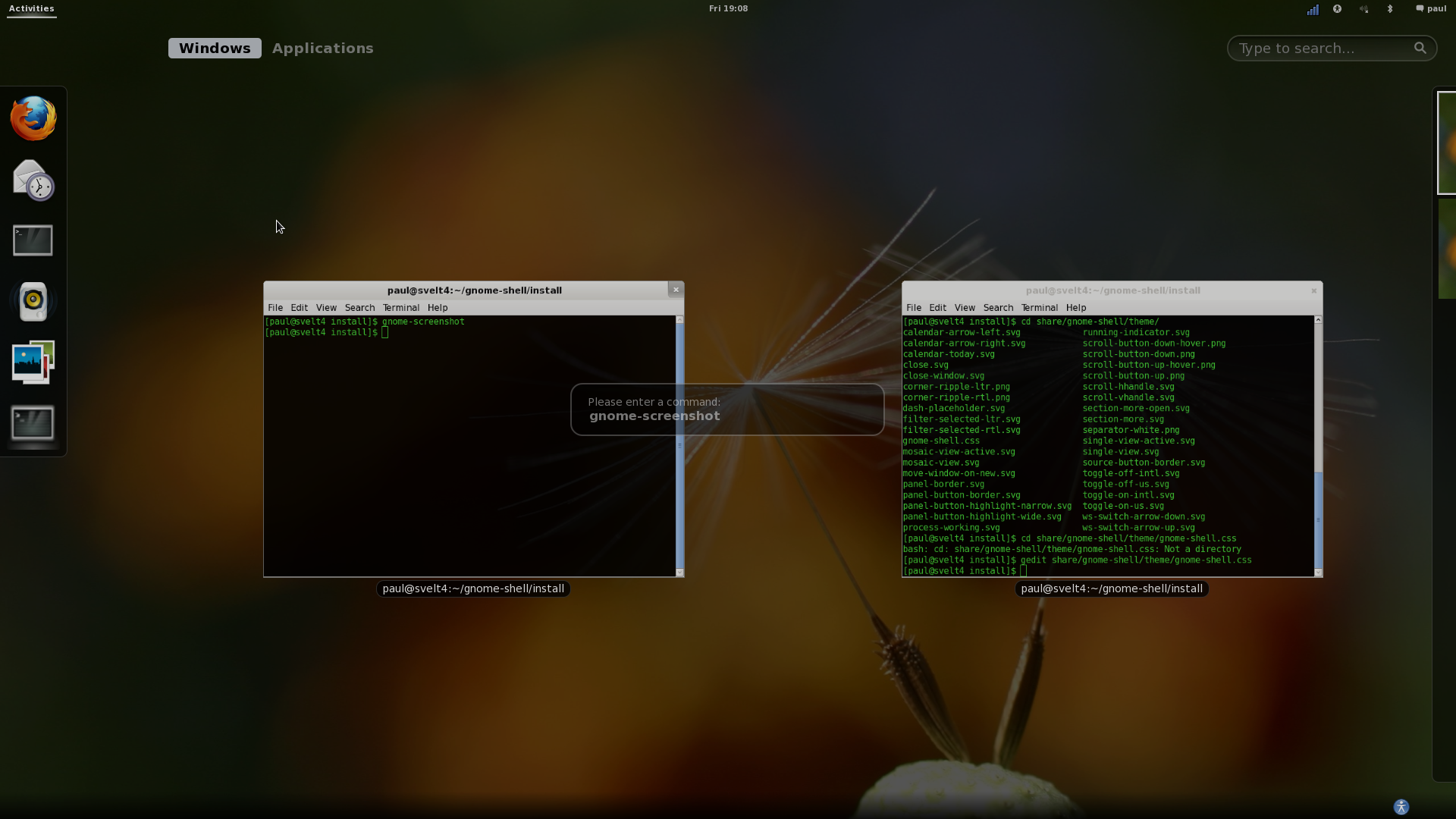
Gnome-shell minus black panel
Here I took the panel and made it tiny font size and transparent, giving me almost my entire screen as screen real estate with barely any UI until I am in the activity screen.
Normal
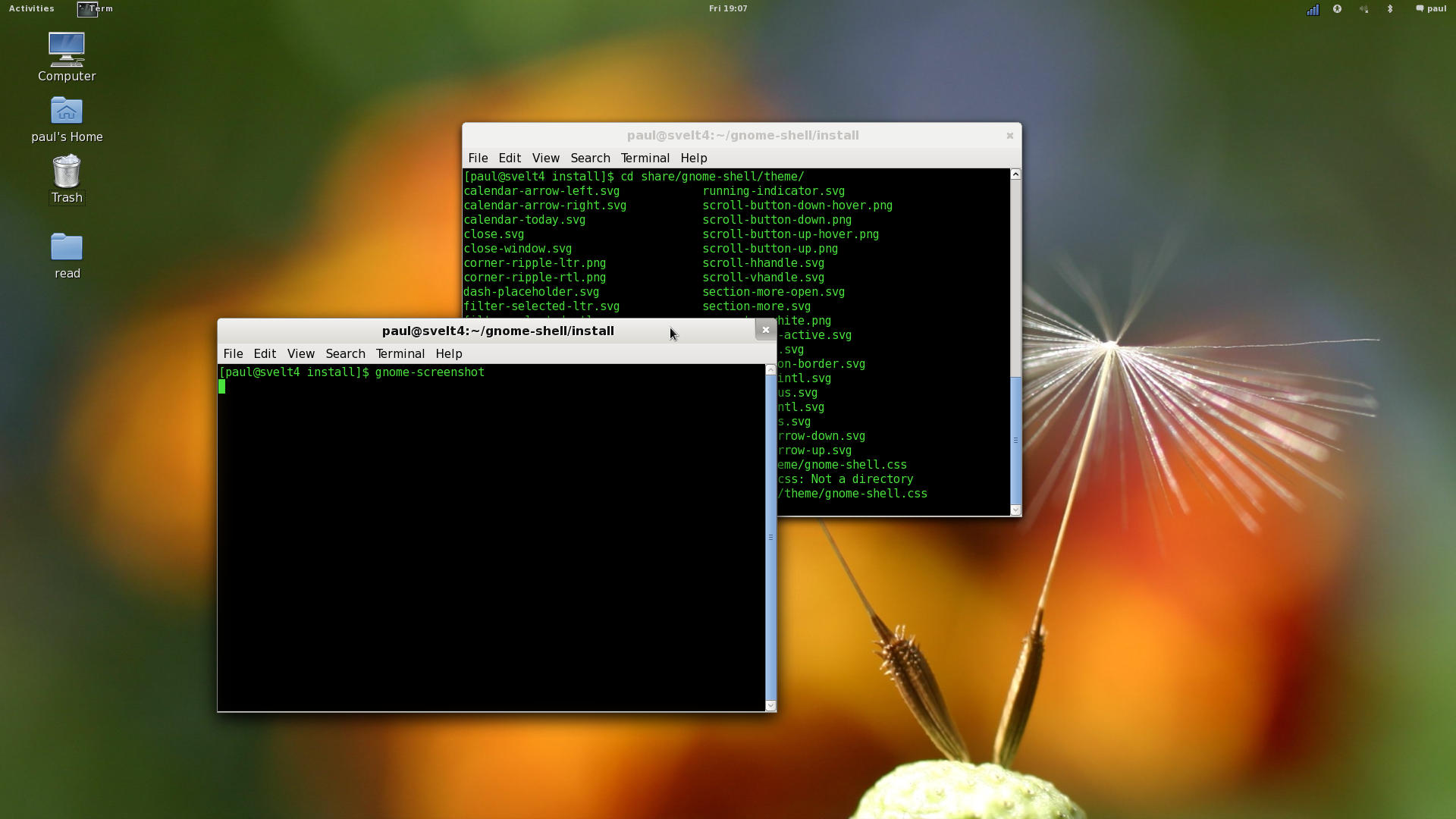
Activity Panel


Permalink: Gnome_shell_minus_black_panel.html
Words: 92
Last Modified: 04/01/11 07:15


Category: linux
02/19/11 04:31 - ID#53651
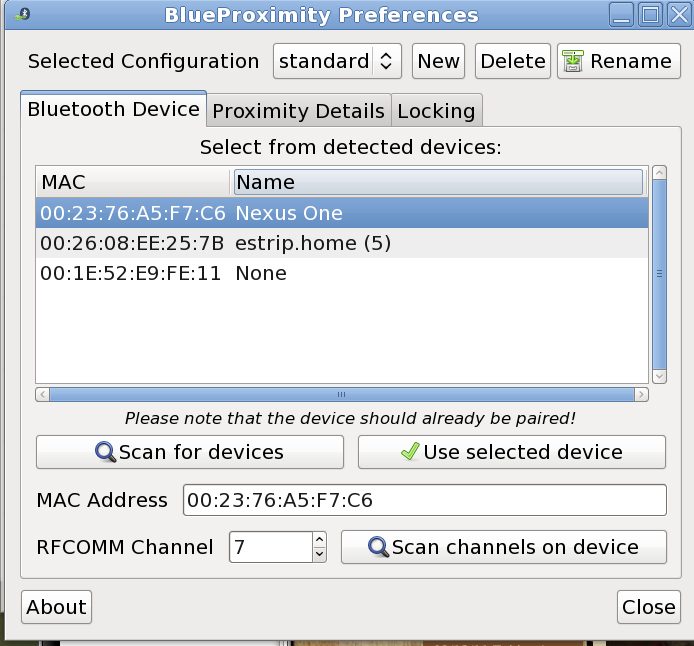
Blueproximity - a taste of the future
The beats having to type your password over and over again as you run to grab water, a printout, talk with someone, etc. The downside is if you leave you phone at your computer or someone steals your phone they can pretty easily get in.
That being said it translates real well with the concept of ID cards that you scan to get in a building. People can always steal those too.
I am pretty sure that apple and google are already integrating this into their respective products as we speak.
To get it simply, "sudo yum install blueproximity"

Permalink: Blueproximity_a_taste_of_the_future.html
Words: 136
Last Modified: 02/19/11 04:31
Category: linux
02/18/11 07:16 - ID#53644
Dear Fedora 14


Permalink: Dear_Fedora_14.html
Words: 53
Last Modified: 02/18/11 07:16
Category: linux
11/03/10 06:59 - ID#53053
Fedora 14 is out
 is here and yes, they did use that awful backdrop (e:paul,52182). No matter how much they tried to change it, it sucked.
On the boot screen they faded it out enough to make it not noticable.

But on the login screen it is in your face bad.
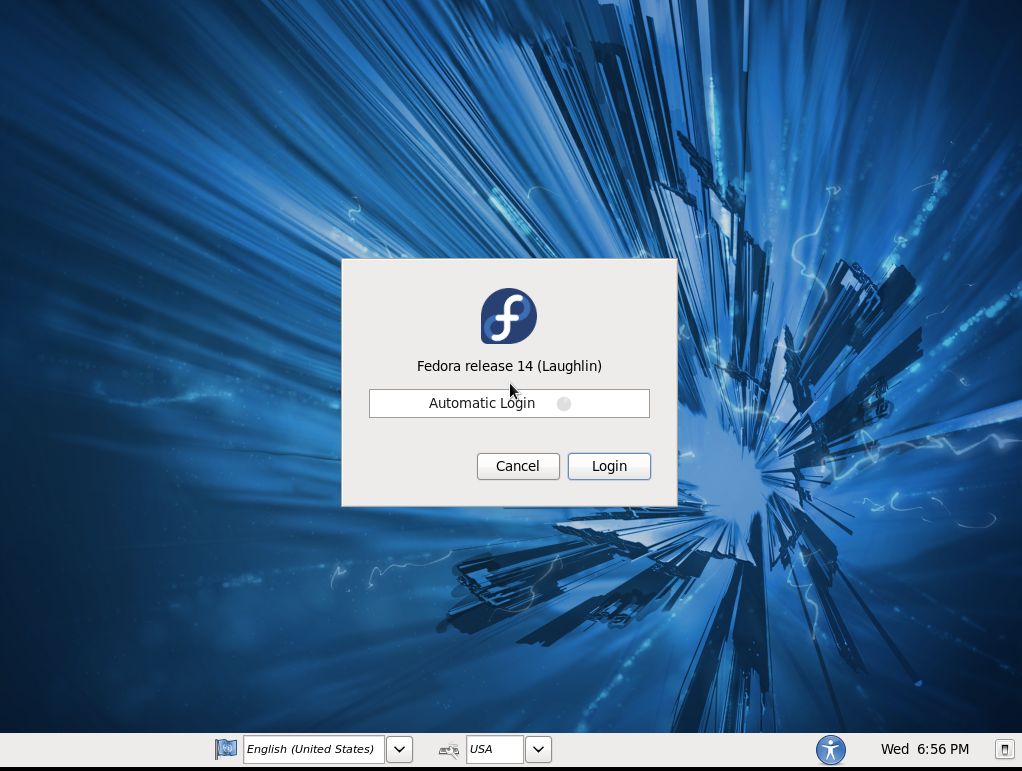
The best part I have found so far is this new suggestive installer. When I try and run something I do not have installed it suggests I install it. I don't know how this slipped past all of the other reviews I found.

Permalink: Fedora_14_is_out.html
Words: 102
Last Modified: 11/03/10 08:51
Category: linux
10/01/10 11:16 - ID#52873
Fedora 14 Release Date Approaching
is just around the corner on 11-02-2010. It got pushed back a little bit but not by much. The final release candidate should be out by the 19th. It seems like just yesterday that Fedora 13 came out. I love the pace at which Fedora moves. Everytime they refresh it is like getting a new computer.The feature set is enumerated here
. I already upgraded to Netbeans 6.9 on Fedora 13 so thats no as exciting as it could be. I am so curious how the default desktop background turned out - I hope it progressed from (e:paul,52182)
Permalink: Fedora_14_Release_Date_Approaching.html
Words: 120
Last Modified: 10/01/10 11:19
Category: linux
09/21/10 12:05 - ID#52799
I used to hate evolution
I am starting to love it as it is working great with exchange 2007. Evolution even caught me when I forget an attachment.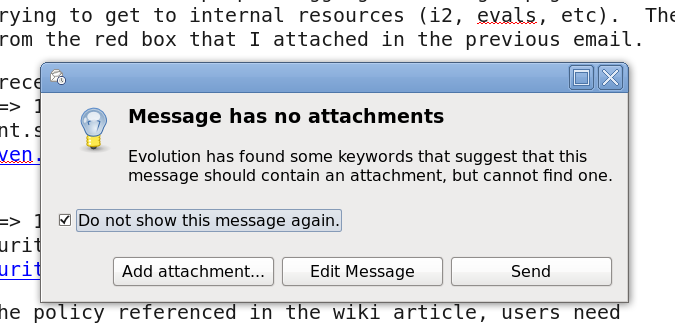

Permalink: I_used_to_hate_evolution.html
Words: 39
Last Modified: 09/21/10 12:05
Category: linux
09/17/10 11:33 - ID#52772
Ktouch
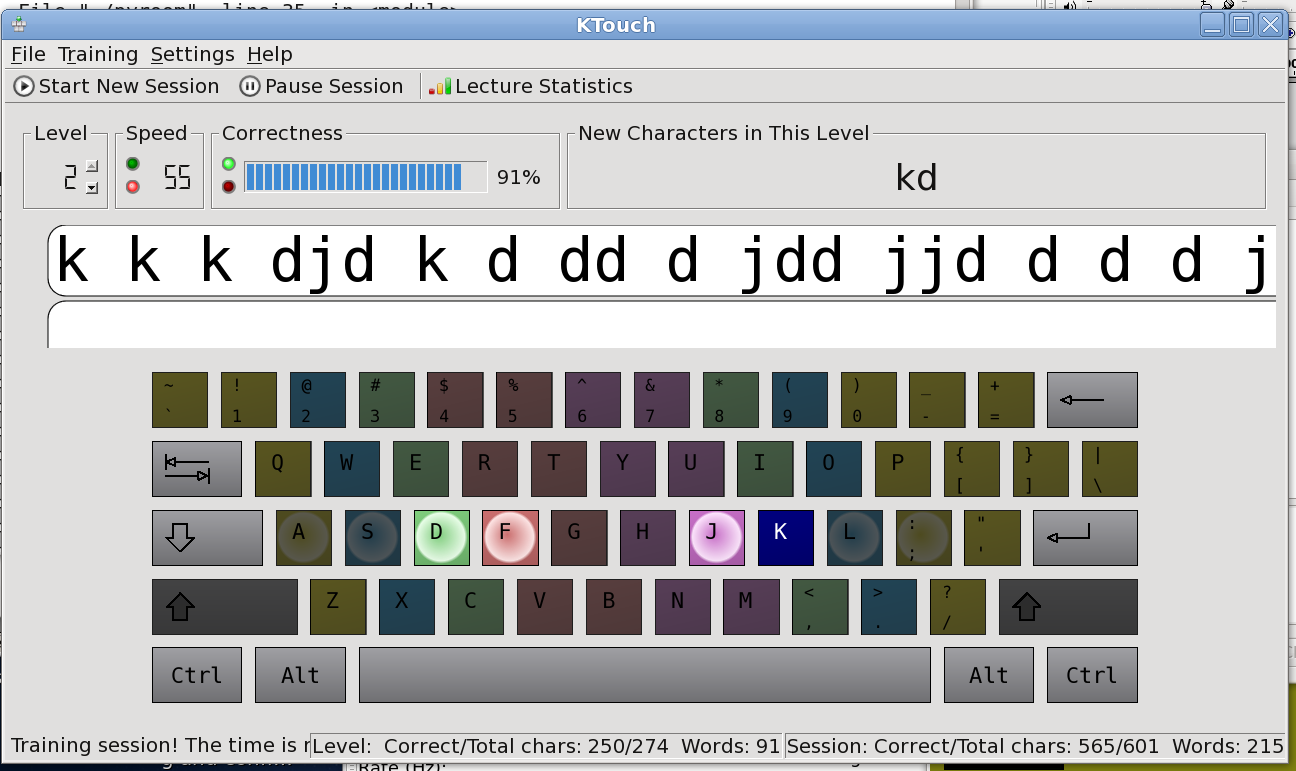
Unfortunately my package manager bundled it with a whole bunch of other children's crap.
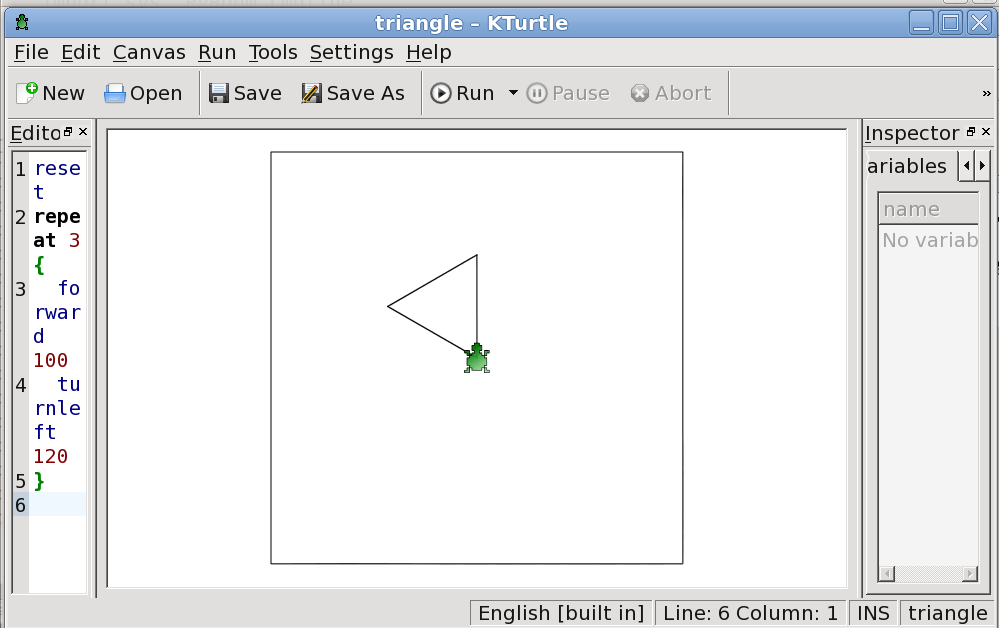
On the other hand I have logo again. I always loved that turtle.
Permalink: Ktouch.html
Words: 79
Last Modified: 09/17/10 11:34
Category: linux
09/17/10 06:25 - ID#52769
Pyroom
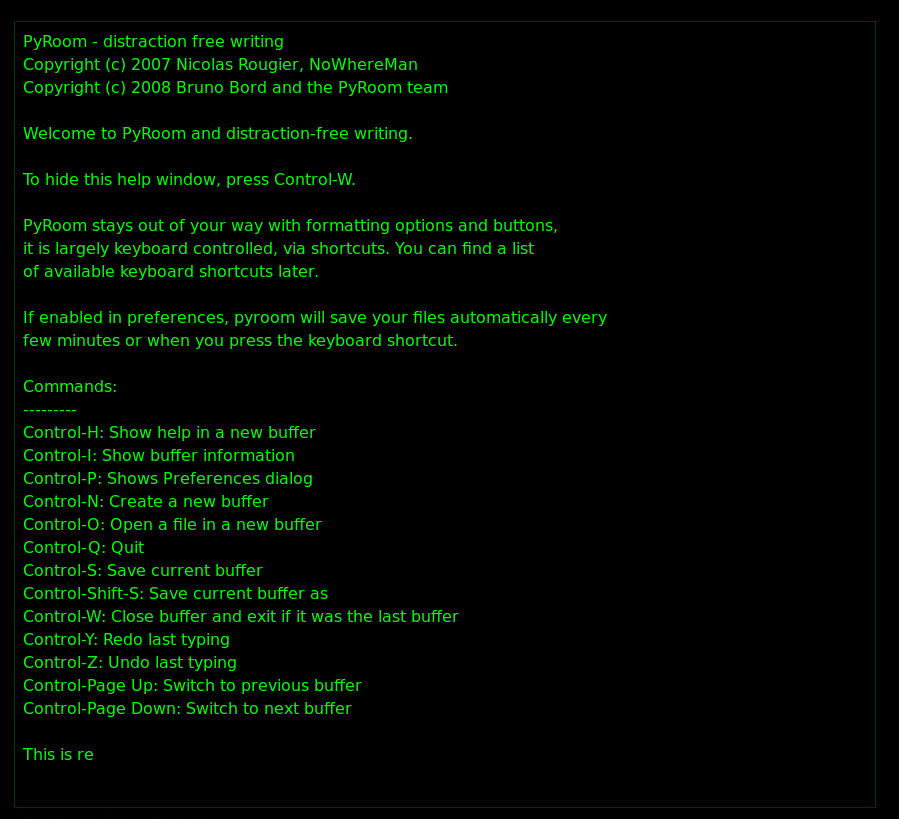
and I have a feeling they had Q10 in mind when designing or that they both have a common parent. Its so funny all of these systems look like the terminal prompt I spend most of the day in. This is native and much better as it does not jerk you out when you save. Sorry no typewriter noise but I bet that could be added if needed.From the command like type sudo yum install pyroom at the terminal or just open up the package manager and search for pyroom to install. It puts an icon in the office folder under applications. ctrl+p for preference settings.
Permalink: Pyroom.html
Words: 129
Last Modified: 09/17/10 06:26
Category: linux
09/17/10 10:10 - ID#52766
PDF-XChange Viewer on fedora 13
running on linux natively using wine. 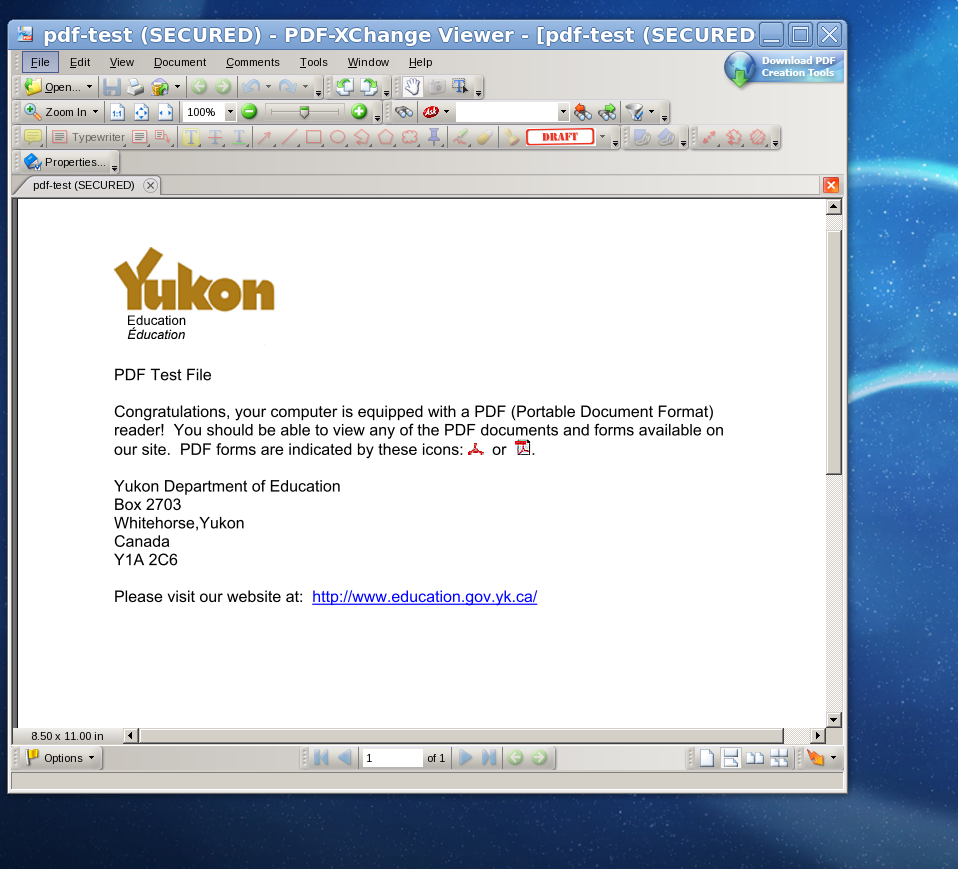
Install wine using fedora package manager (System->Administration->add remove software).
Search wine and install (A Windows 16/32/64 bit emulator) if it is not already installed.
Then download the installer for PDF Xchange and run the installer like normal. Because i don't normally run this software, I can't tell you how good it works. Its seems to be stable to me though. Hopefully, (e:tinypliny,52765) can give you more info.
It should make a shortcut on the desktop. You can drag that to the panel at the top of the screen if you prefer.

Permalink: PDF_XChange_Viewer_on_fedora_13.html
Words: 127
Last Modified: 09/17/10 10:26
Category: linux
08/08/10 11:49 - ID#52399
mac OS X snow leopard in vmware on linux!
I used these instructions
mixed with these ones 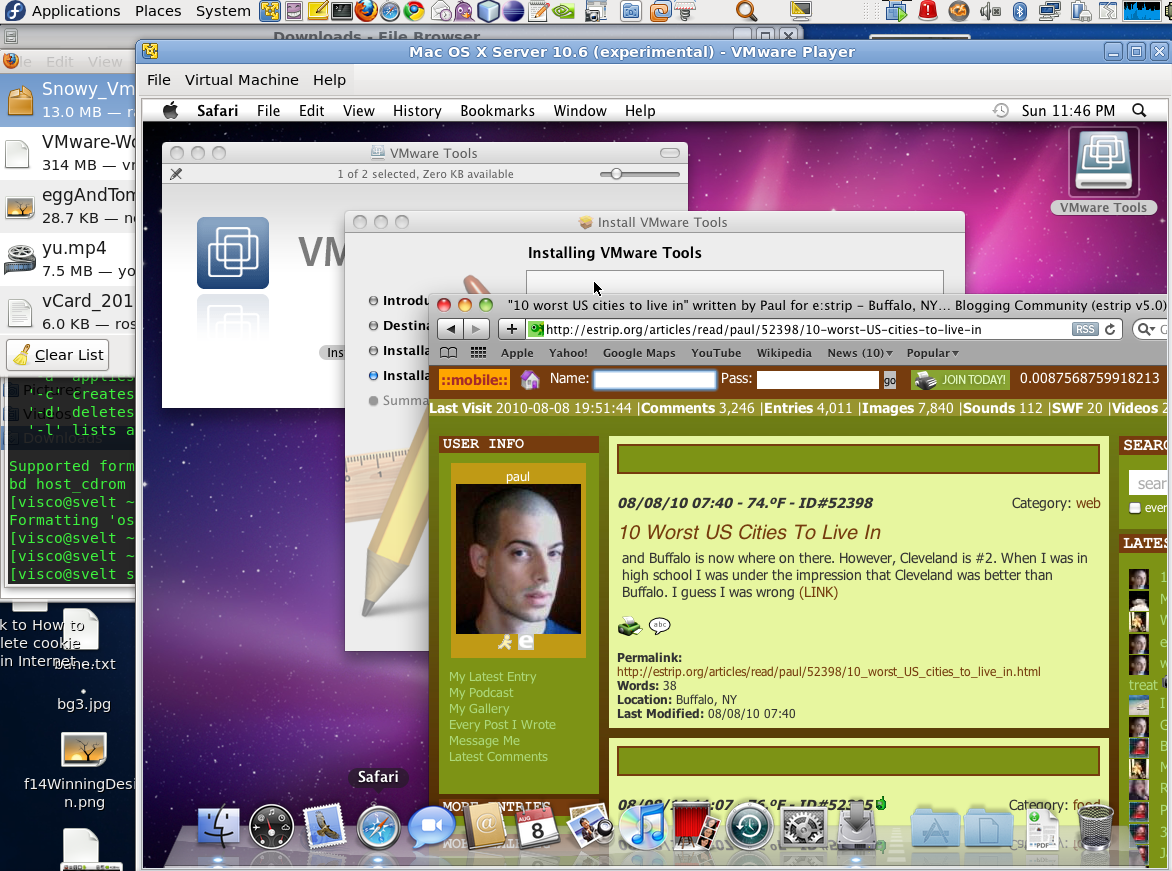
Permalink: mac_OS_X_snow_leopard_in_vmware_on_linux_.html
Words: 63
Last Modified: 08/08/10 11:53
Author Info

Date Cloud
- 04/26
- 11/25
- 05/25
- 04/25
- 01/25
- 03/24
- 11/23
- 02/23
- 01/23
- 12/22
- 01/22
- 12/21
- 11/21
- 12/20
- 11/20
- 01/19
- 12/18
- 08/18
- 04/18
- 03/18
- 02/17
- 01/17
- 12/16
- 11/16
- 09/16
- 08/16
- 07/16
- 06/16
- 05/16
- 04/16
- 03/16
- 02/16
- 01/16
- 12/15
- 11/15
- 10/15
- 09/15
- 08/15
- 07/15
- 06/15
- 05/15
- 04/15
- 03/15
- 02/15
- 01/15
- 12/14
- 11/14
- 10/14
- 09/14
- 08/14
- 07/14
- 06/14
- 05/14
- 04/14
- 03/14
- 02/14
- 01/14
- 12/13
- 11/13
- 10/13
- 09/13
- 08/13
- 07/13
- 06/13
- 05/13
- 04/13
- 03/13
- 02/13
- 01/13
- 12/12
- 11/12
- 10/12
- 09/12
- 08/12
- 07/12
- 06/12
- 05/12
- 04/12
- 03/12
- 02/12
- 01/12
- 12/11
- 11/11
- 10/11
- 09/11
- 08/11
- 07/11
- 06/11
- 05/11
- 04/11
- 03/11
- 02/11
- 01/11
- 12/10
- 11/10
- 10/10
- 09/10
- 08/10
- 07/10
- 06/10
- 05/10
- 04/10
- 03/10
- 02/10
- 01/10
- 12/09
- 11/09
- 10/09
- 09/09
- 08/09
- 07/09
- 06/09
- 05/09
- 04/09
- 03/09
- 02/09
- 01/09
- 12/08
- 11/08
- 10/08
- 09/08
- 08/08
- 07/08
- 06/08
- 05/08
- 04/08
- 03/08
- 02/08
- 01/08
- 12/07
- 11/07
- 10/07
- 09/07
- 08/07
- 07/07
- 06/07
- 05/07
- 04/07
- 03/07
- 02/07
- 01/07
- 12/06
- 11/06
- 10/06
- 09/06
- 08/06
- 07/06
- 06/06
- 05/06
- 04/06
- 03/06
- 02/06
- 01/06
- 12/05
- 11/05
- 10/05
- 09/05
- 08/05
- 07/05
- 06/05
- 05/05
- 04/05
- 03/05
- 02/05
- 01/05
- 12/04
- 11/04
- 10/04
- 09/04
- 08/04
- 07/04
- 06/04
- 05/04
- 04/04
- 03/04
- 02/04
- 01/04
- 12/03
- 11/03
- 10/03
- 09/03
- 08/03
- 07/03
Category Cloud
- 24 linwood
- animals
- art
- basra
- bathroom
- biking
- birthdays
- body
- botanical gardens
- brushwood
- buffalo
- camping
- cars
- clothes
- clothing
- computers
- dancing
- food
- furniture
- games
- haircut
- haircuts
- halloween
- hiking
- holidays
- house
- key west
- mobile
- music
- nature
- pets
- provincetown
- rochester
- swimming
- toronto
- toys
- travel
- vacation
- weather
- wedding
- weddings
- work
- accidents
- allentown
- android
- animals
- apple
- architecture
- art
- artvoice
- bars
- bathroom
- beach
- bikes
- biking
- birthdays
- body
- books
- brushwood
- buffalo
- buffalo rising
- bugs
- buildings
- camping
- cancer
- cars
- cats
- central terminal
- childhood
- church of the ascension
- clothes
- clothing
- computer
- computers
- conference
- crohns
- dance
- dancing
- dentist
- design
- downtown
- drugs
- electronics
- elmwood
- energy
- environment
- estrip
- events
- exercise
- family
- festivals
- firecracker
- food
- friends
- furniture
- gadgets
- games
- garden
- gay
- government
- gym
- hair
- haircut
- haircuts
- halloween
- hardware
- health
- hiking
- history
- holiday
- holidays
- house
- housing
- jewlery
- kenmore
- key west
- life
- linux
- linwood
- love
- marriage
- media
- mobile
- mobl
- movies
- music
- mustache
- nature
- nikon
- opinion
- orange tongue
- party
- peeptalk
- people
- pets
- photos
- poetry
- politics
- portland
- pride
- programming
- property
- protest
- random
- recycling
- religion
- rememberbuffalo
- renting
- school
- shoes
- shopping
- sports
- stress
- stuff
- swimming
- technology
- television
- thesis
- thursday
- thursdays
- toys
- transportation
- travel
- vacation
- vegas
- war
- water
- weather
- web
- wedding
- weddings
- weekend
- windows
- winter
- work
- world
- youtube
- zooey
 Buffalo Pride weekend marathon
 Raggedy Annie Plushapalooza '96

I am so glad because I was really starting to finally enjoy gnome-shell.
Or like all sorts of other gnome2 stuffs that I've experienced in Ubuntu, did you have to edit conf files and/or write scripts? One of the things that annoys the hell out of me that gnomescreensaver doesn't have a gui for setting even though it is based on xscreensaver (which does have a settings gui).
I like the ability to resize a panel and to make it "invisible". Since I've been able to do both in KDE and e17, I would have thought you would have been able to do that in gnome as well.
"Targeted release: Fedora 15
Last updated: 2010-03-25
Percentage of completion: 99%"
Under contingency plan they have "If gnome-shell is not complete or stable enough, keep it experimental and use the 'fallback mode'. If there are problems with certain combinations of graphics hardware and drivers, use gnome-shell only on known good combinations, and use fallback mode everywhere else." Maybe they will do just that.