


Weird photoshop antialiasing
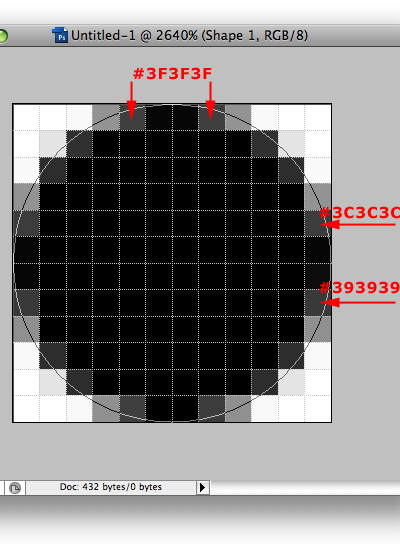
I made that by drawing a circle-shape in a 12x12 pixel file in photoshop, and snapping the shape to a 1x1 pixel grid. It should be perfectly symmetrical, both horizontal and vertical.
Why are pixels that should be the same value different?
weird...
The % of the square that was inside the circle probably directly correlates to the amount of gray it is.
This is just an (educated) guess, but if you calculated the amount of space that those squares overlap with that circle, you could find the ratio that the pshop people use to calculate anti-aliasing stuff...
just a guess though really.